Audit
Find where patterns diverge across product areas and begin creating avoidable complexity for teams.
I’m a Platform and Systems Designer with about 10 years at Workday, focused on scaling UI architecture across 70,000+ product surfaces.
My work sits at the intersection of design systems, product, and engineering. The throughline is straightforward: reduce fragmentation, increase reuse, and turn platform investments into product adoption.
How framework work and embedded product work reinforced each other to create real adoption.
The decision lenses I use to standardize the right things, preserve the right flexibility, and create leverage across teams.
Two examples where local product problems became reusable system models that teams could adopt at scale.
At Workday, I split my time between building frameworks and embedding with product teams to drive adoption. The value of the role was not producing more artifacts. It was reducing fragmentation, introducing reusable models, and making sure platform work translated into real product implementation.
Defined reusable models, framework guidance, and architectural constraints that helped teams implement faster with less local reinvention.
Embedded with product teams so the system proved itself in real workflows, real constraints, and real shipping conditions.
Consumes Canvas guidance and turns it into reusable framework and pattern infrastructure.
My home team and the source of Canvas tokens, guidance, and pattern foundations.
Consumers of platform solutions in real product implementation.
In platform environments, the challenge is rarely inventing a new flow. It is deciding where standardization creates leverage, where flexibility still matters, and how to make the system easier for teams to adopt than a one-off solution.
Find where patterns diverge across product areas and begin creating avoidable complexity for teams.
Decide what should standardize, what should remain flexible, and where the system boundary should live.
Reuse proven primitives when possible so teams can build from the system instead of rebuilding locally.
Measure success by adoption, not just by how polished the first implementation looks.
Document the model so teams have a clear path to use it without reopening the same decisions.
Use roadmap visibility and org signals to target the most meaningful system gap.
Identify the relevant pagetype, layout, ownership seam, and product impact area.
Pull apart the flow into components, layout logic, and repeatable architecture.
Work with impacted teams so the solution addresses local needs while staying universal.
Iterate in product, validate with feedback, and refine the system under real constraints.
Turn the work into adoption guidance, implementation assets, and repeatable rollout paths.
A system-level modernization story: legacy Workday experiences spanned most of the suite, but layout and form structures were rigid, inconsistent, and expensive for teams to solve screen by screen.
Roughly 95% of product surfaces were still driven through legacy structure, spanning about 70,000 tasks and reports across the suite. Any improvement at the framework level had meaningful leverage.
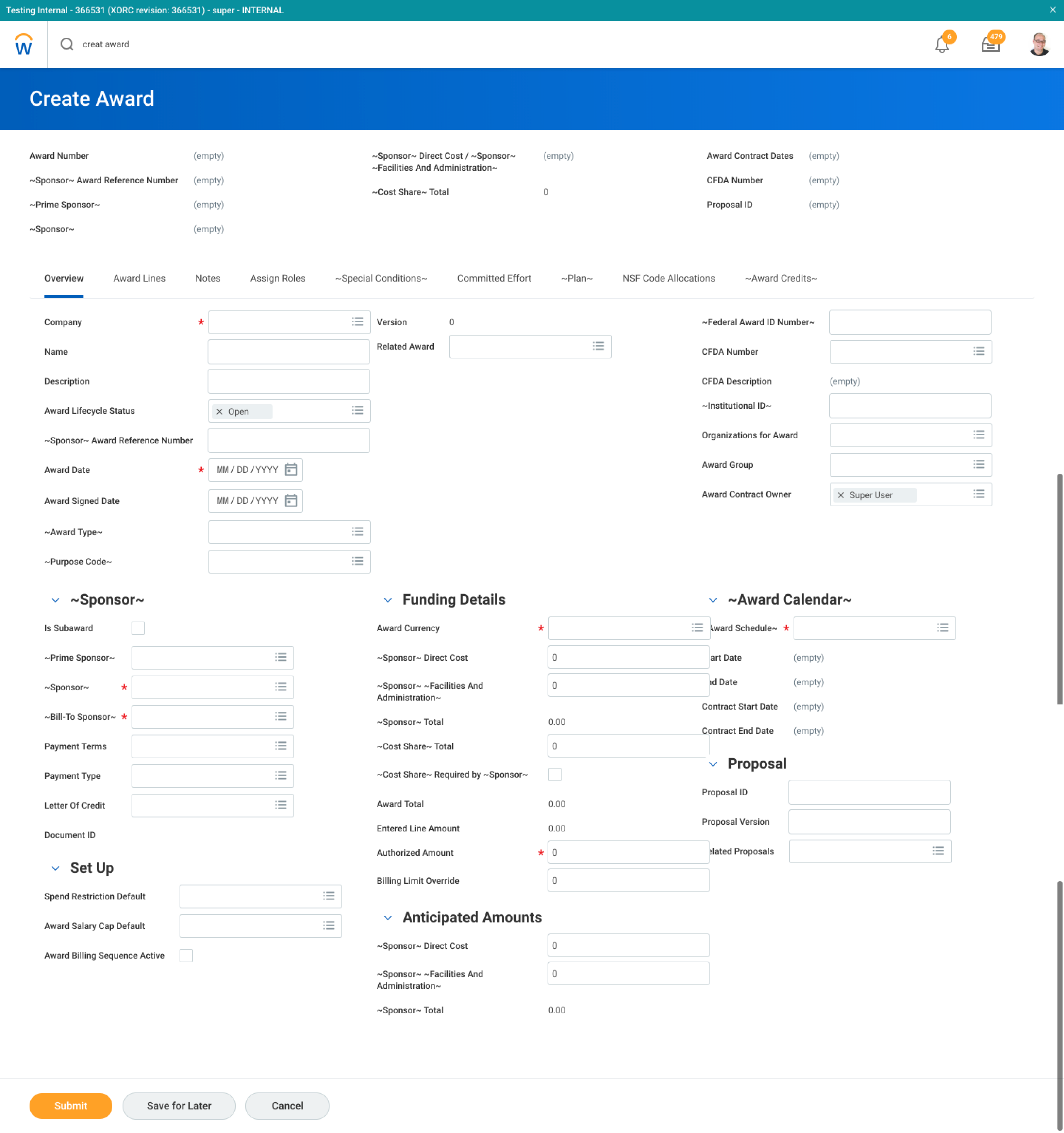
Form structures were inconsistent, rigid, and non-responsive. Teams kept solving layout at the page level, which increased fragmentation and slowed implementation across the system.
System patternThe issue was structural, not isolated. Layout, spacing, grouping, and label behavior could be solved once in the framework instead of many times in product.
Rather than retrofit old layouts one screen at a time, I pushed for a responsive grid framework that could coexist with legacy patterns, reduce one-off fixes, and support gradual adoption.
The framework introduced shared layout constraints, standardized form patterns, and responsiveness rules that reduced variability and gave teams a reusable structure to build with.
I started by making the problem undeniable in production. The goal was to show that the issue was not one broken form, but a repeated structural pattern across legacy Workday experiences.
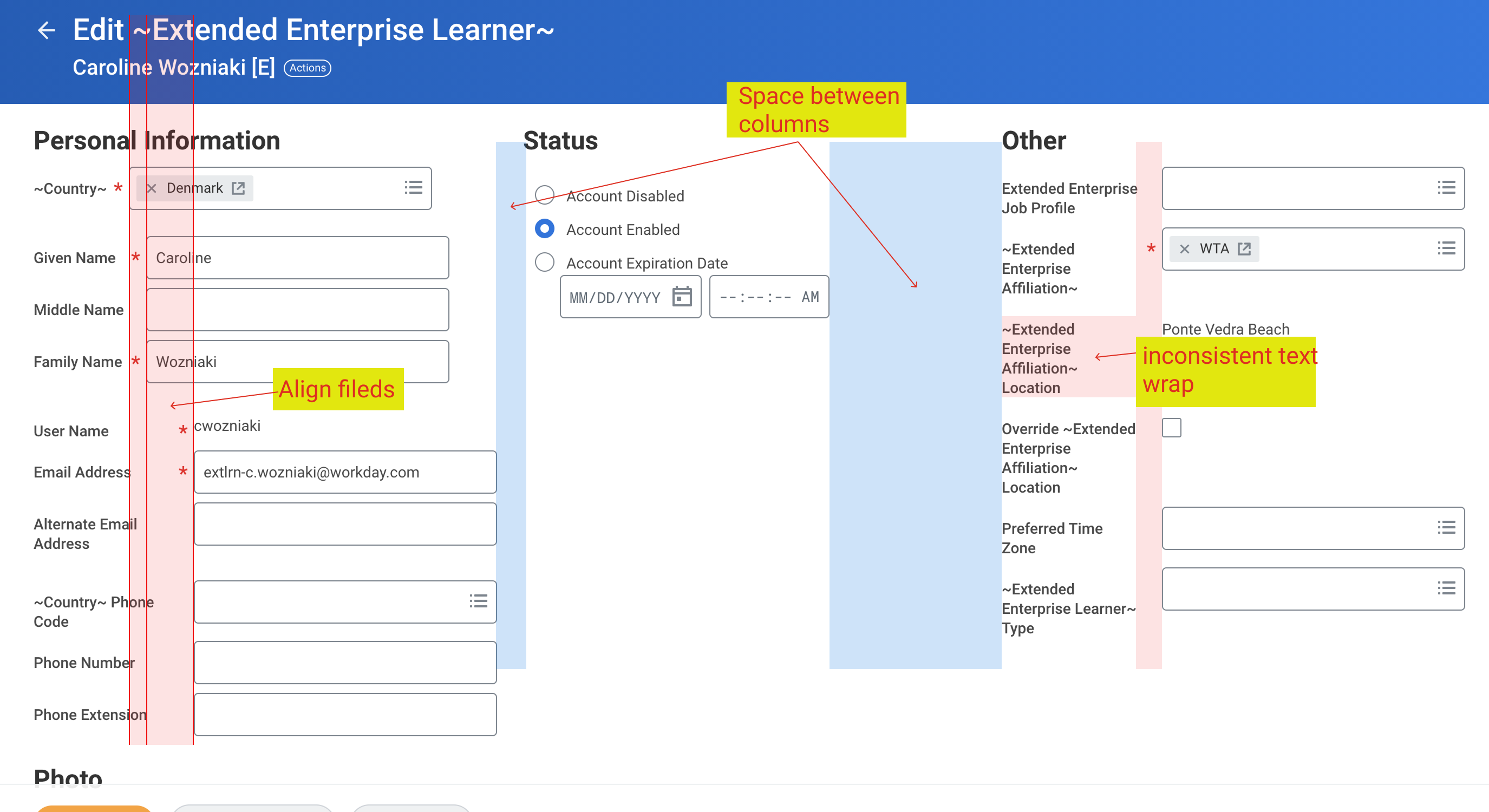
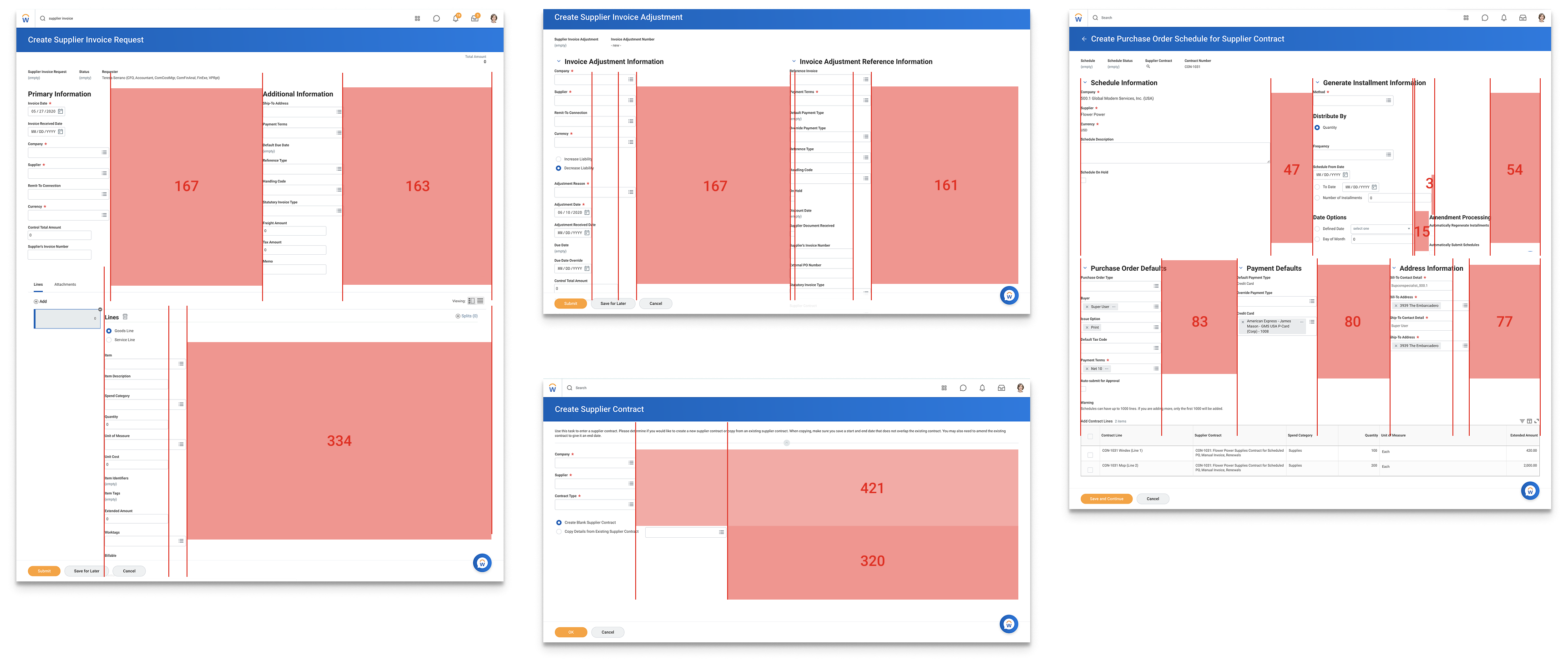
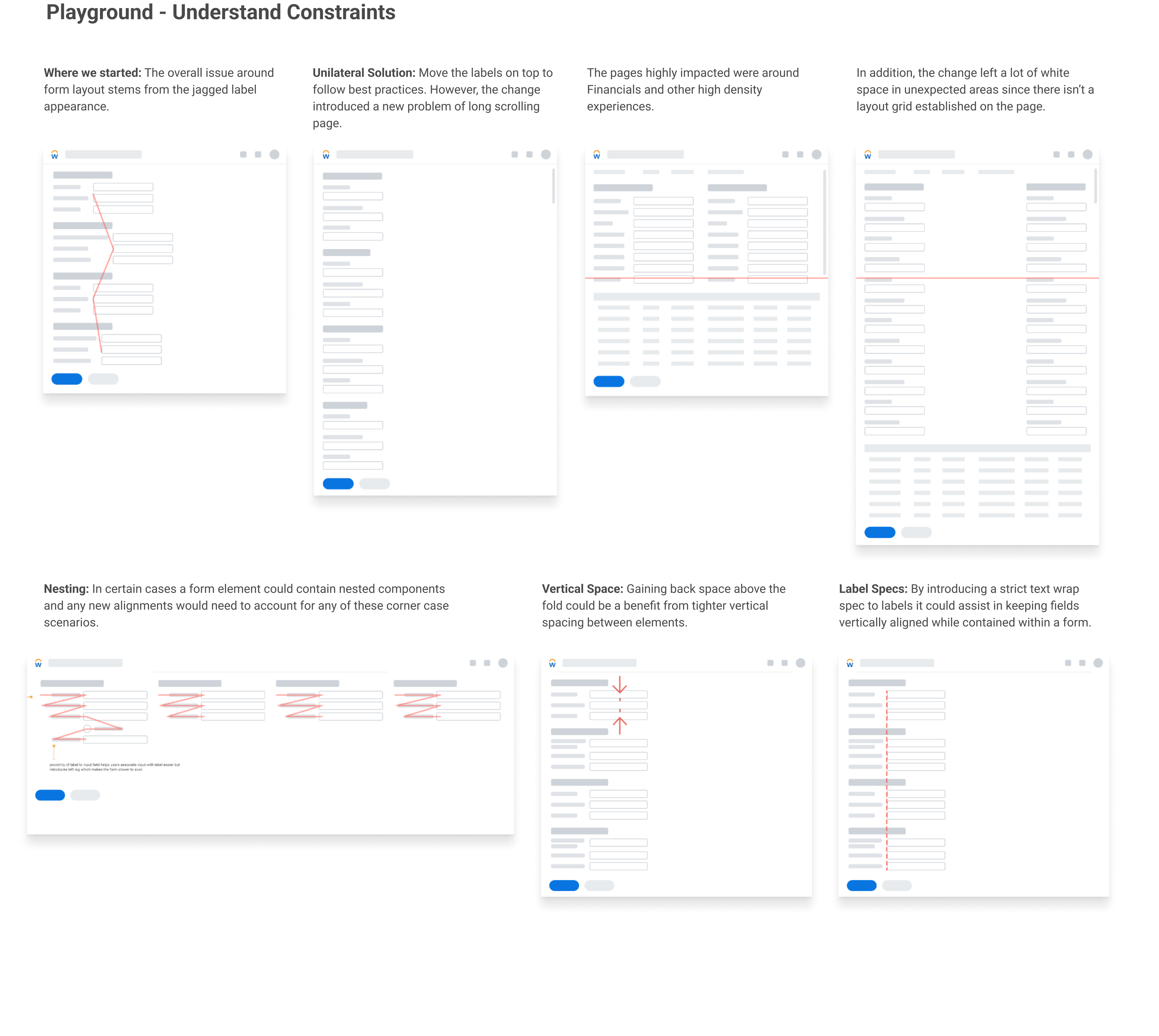
Once the patterns were visible, the next step was to turn the mess into a reusable model. This is where the work moved from critique into architecture.
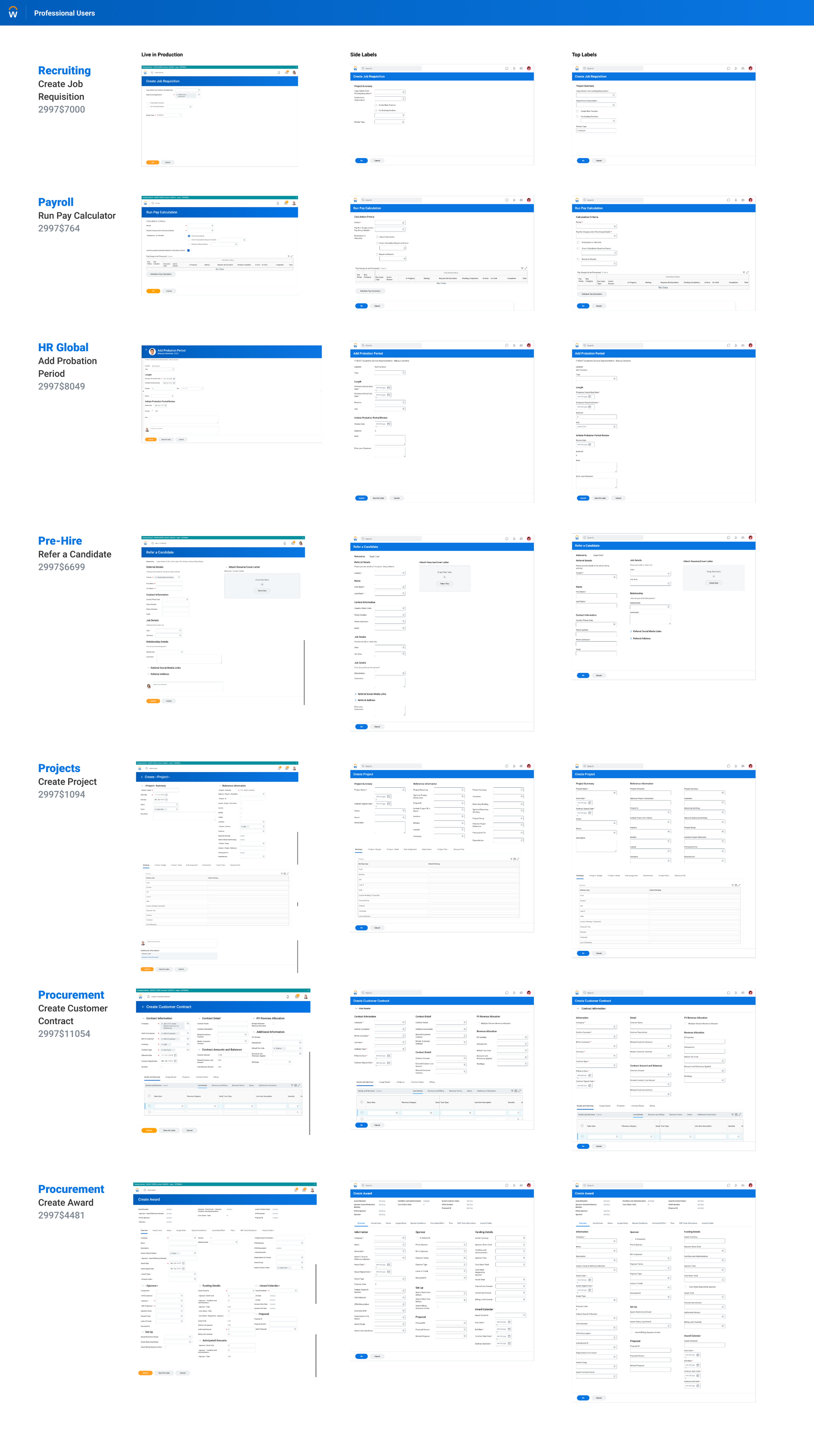
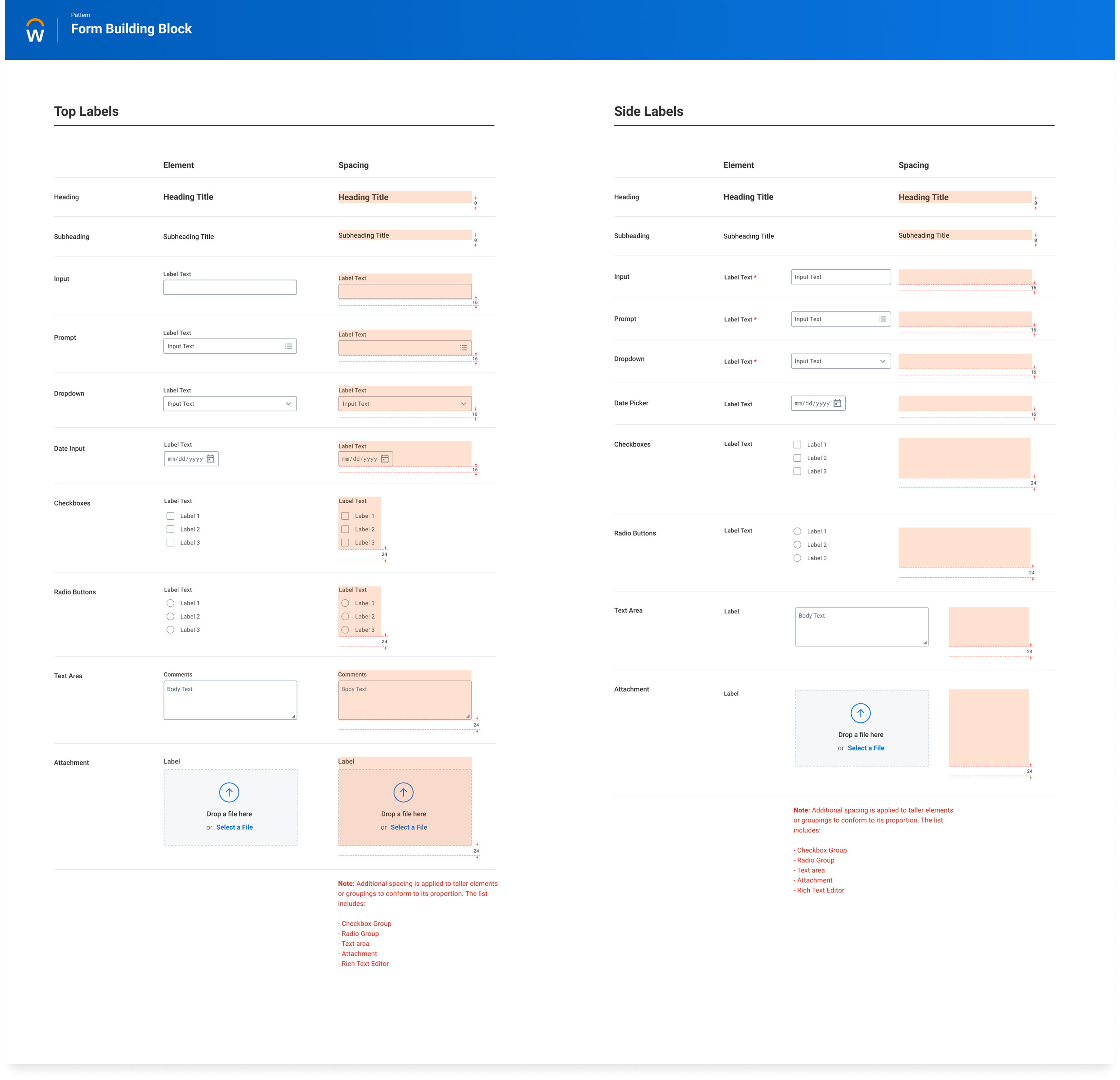
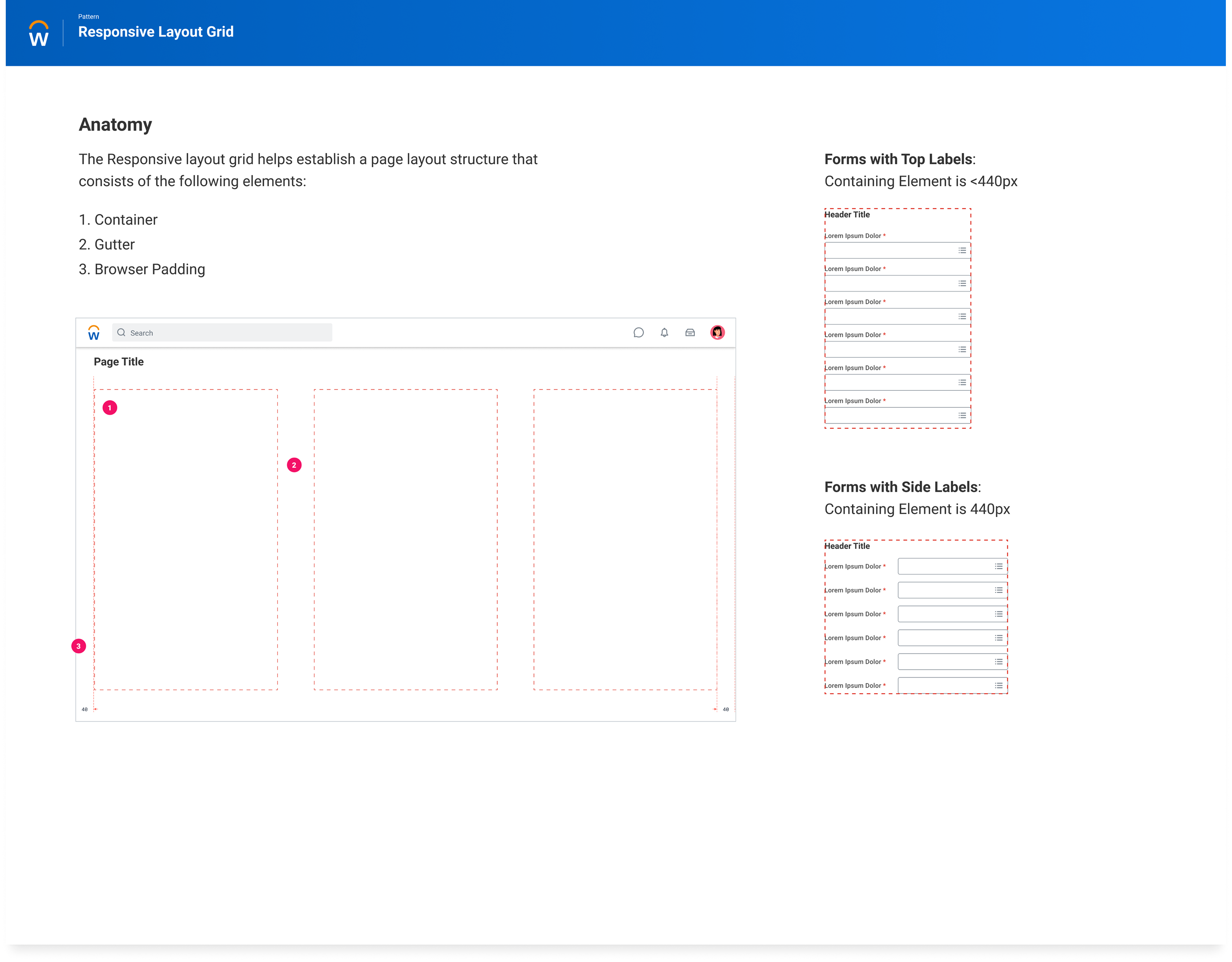
The final step was adoption. The framework had to become usable in real product work, with clear rules for label behavior, wrapping conditions, and when different patterns were appropriate.
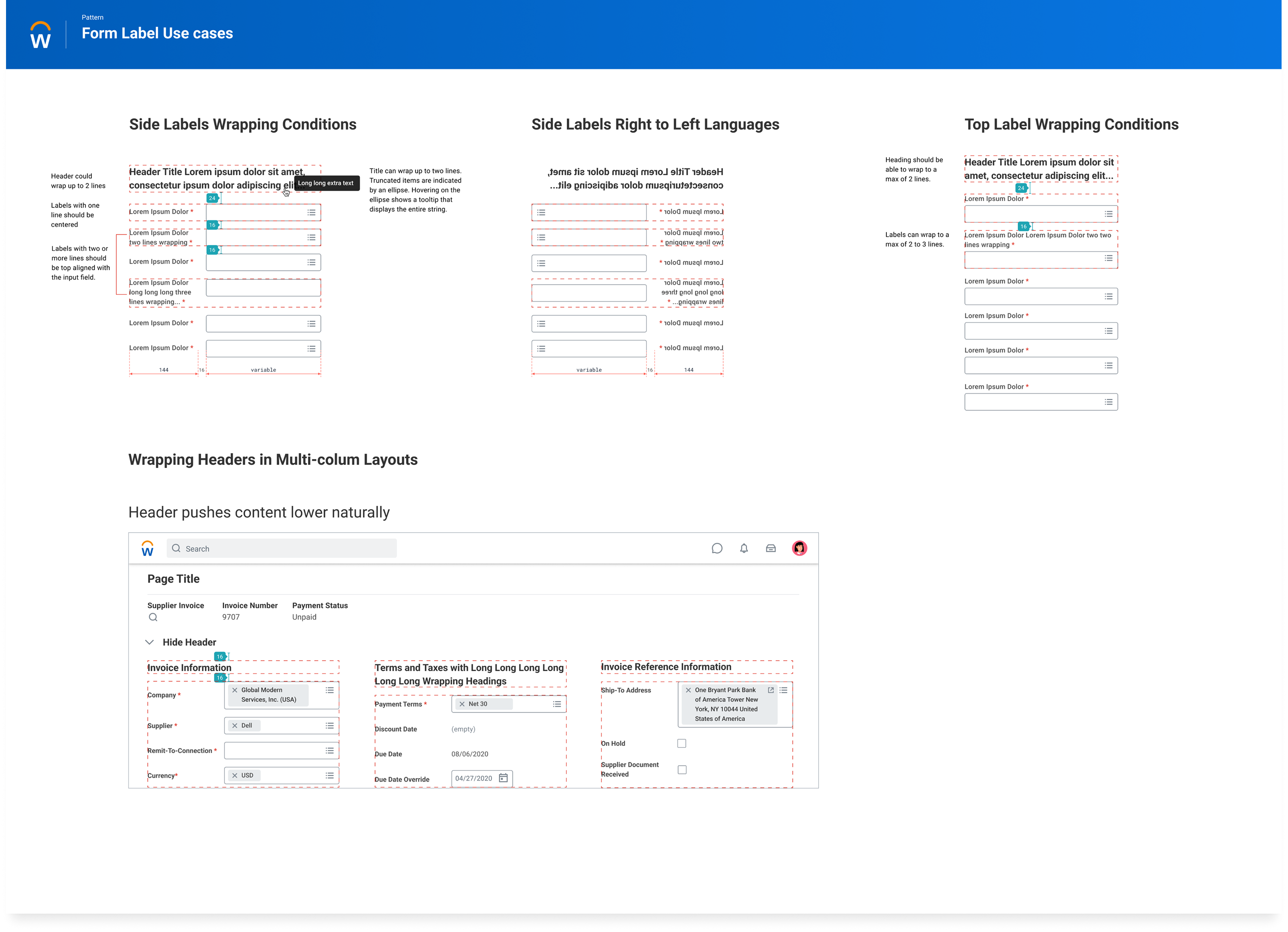
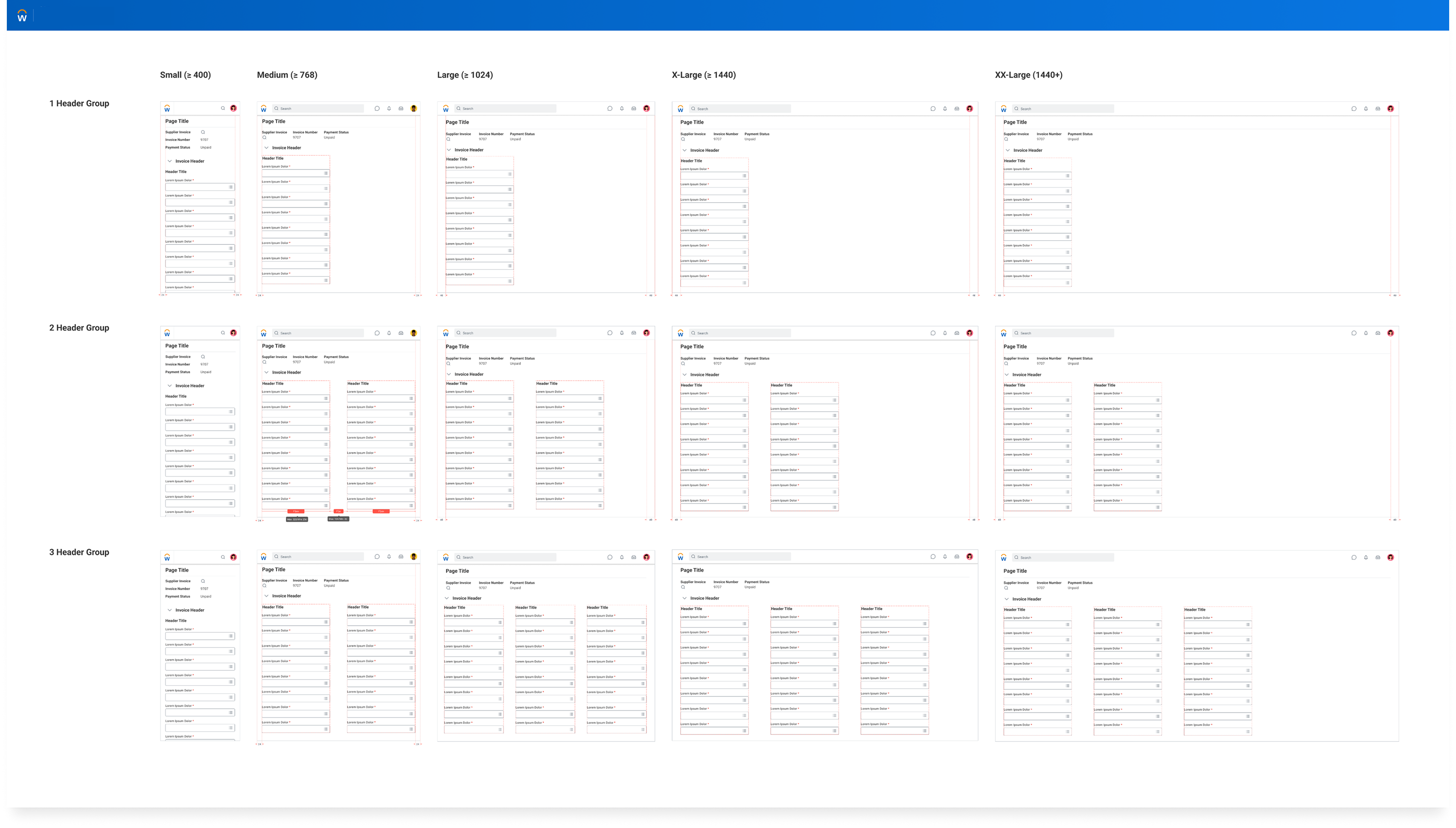
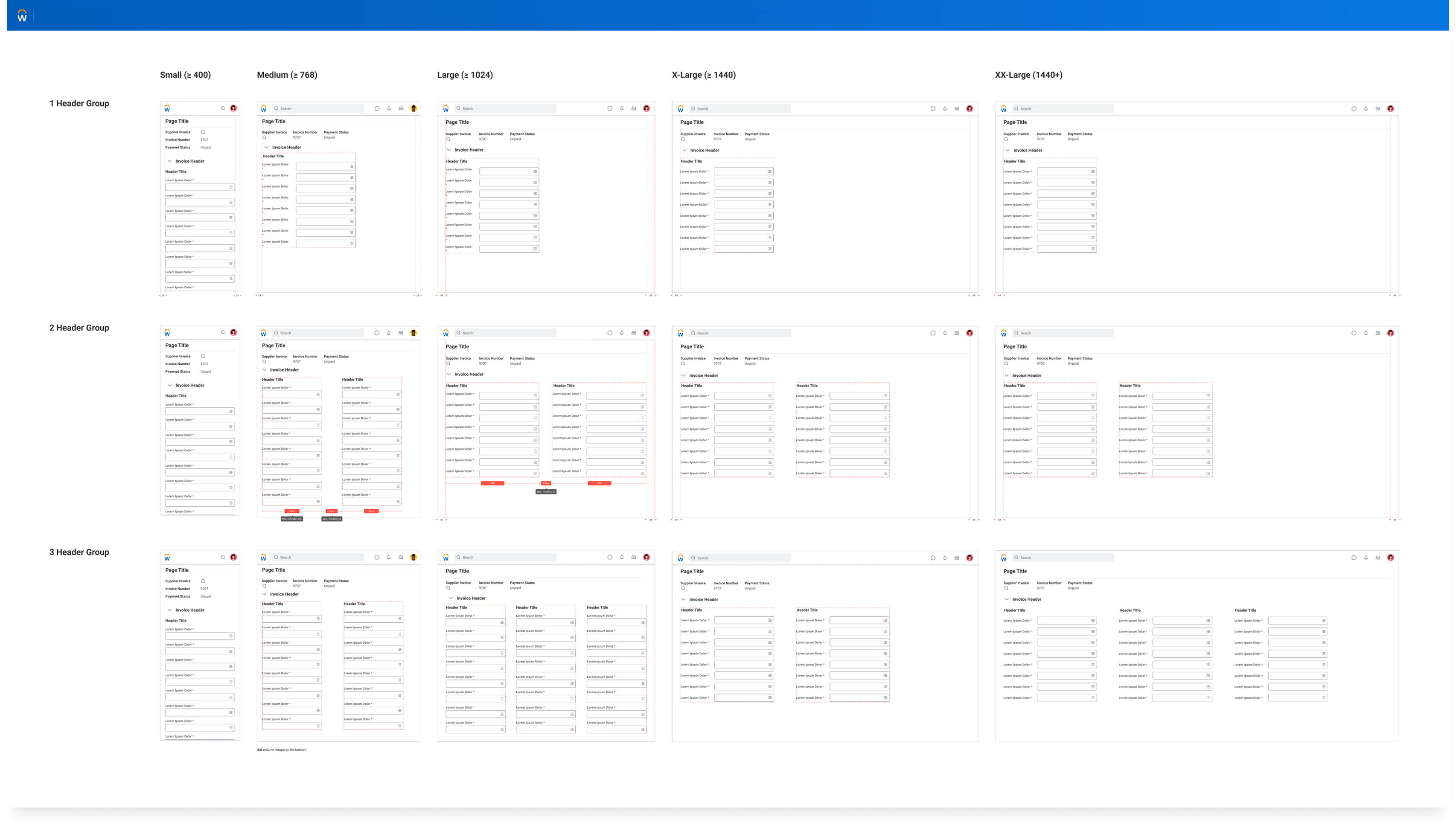
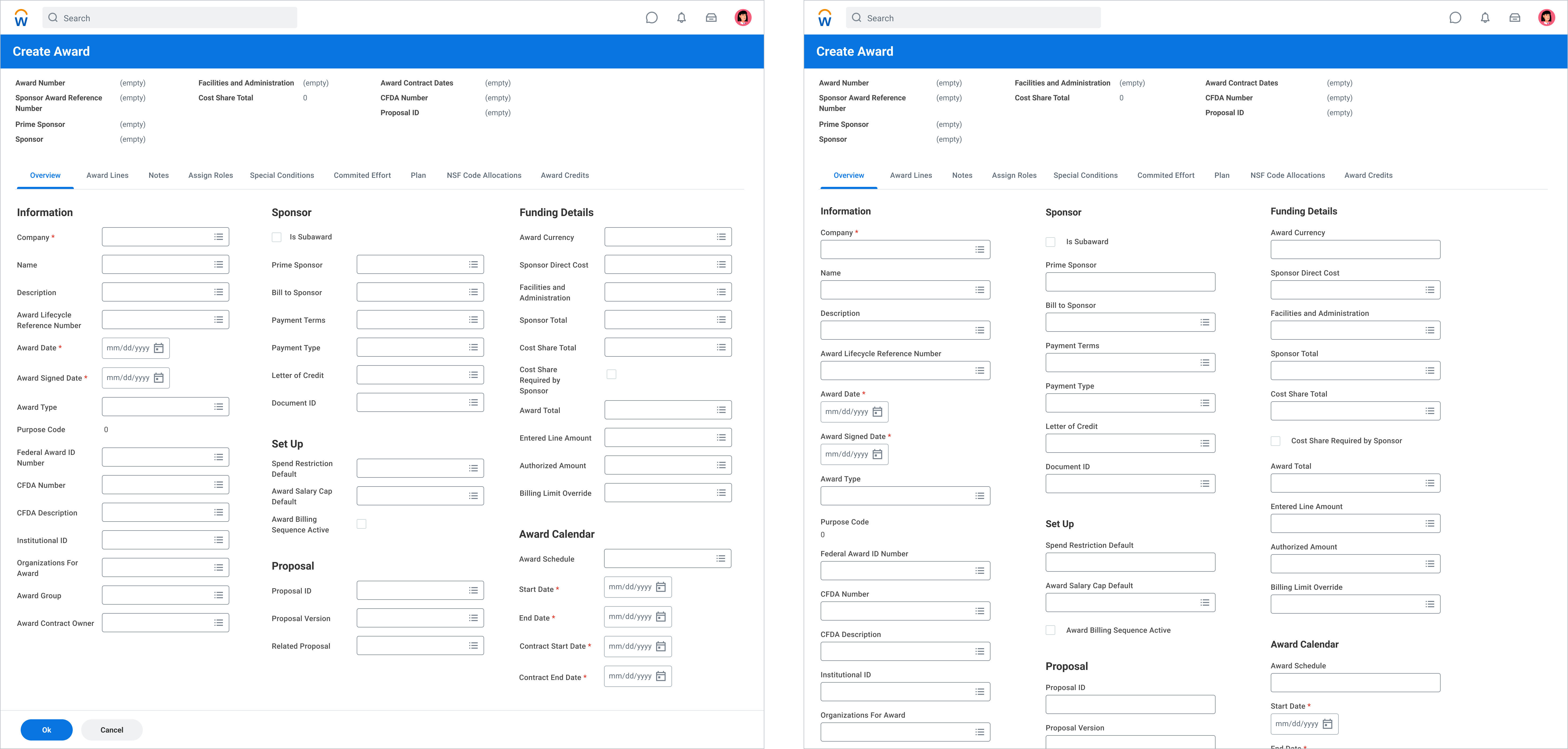
The framework reduced layout fragmentation, increased reuse, and gave teams a clearer path to implement forms without solving the same structural problems again.
Instead of designing layouts from scratch, teams could build within a shared model. That shifted the work from one-off UI cleanup to system leverage that could scale across product areas.
A fast ML-driven problem solved under tight delivery constraints, then expanded into a more intuitive search and selection model that could scale across Workday without relying on one-off solutions.
The immediate need was a lightweight suggestion interaction, but teams really needed a more familiar search entry point that could scale into richer selection when the data became more complex.

The solution had to move quickly, which made reuse, search-first behavior, and extension much more important than inventing a net-new component family.
Delivery conditionThe initial solution had to work within existing system primitives while still opening a broader architectural path.
Once the prompt touched real workflows, it became clear teams needed a more intuitive search-first model: type-ahead for likely matches, auto-complete for known objects, and structured selection only when the data demanded it.
I pushed to complete Suggestive Prompt with minimal lift, then extend that work into a clearer search and selection framework shaped by data density, complexity, and repeatability across flows.
I started by proving that the platform had too many ways to make a selection. The goal was to show the issue was not one component, but a repeated structural pattern across product workflows.
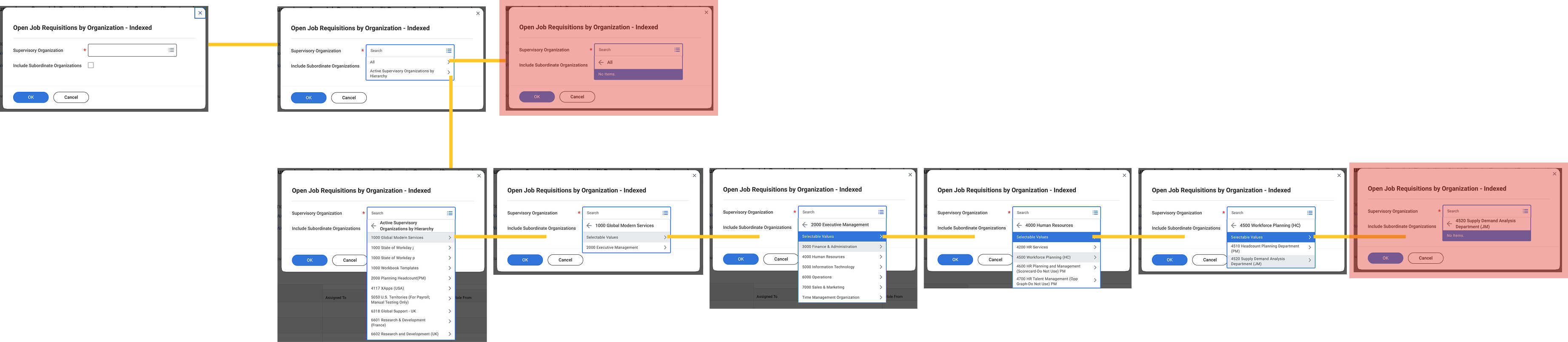
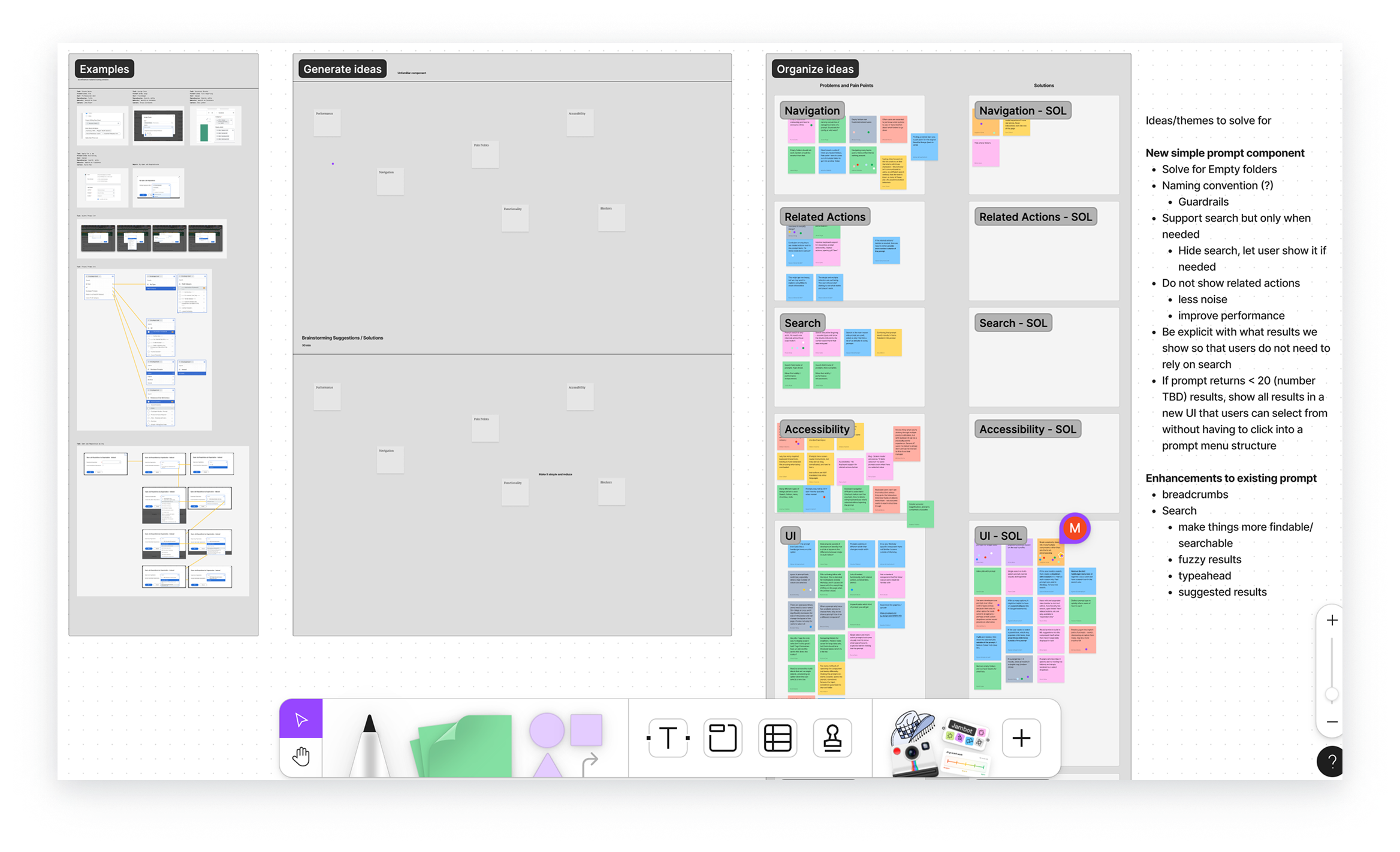
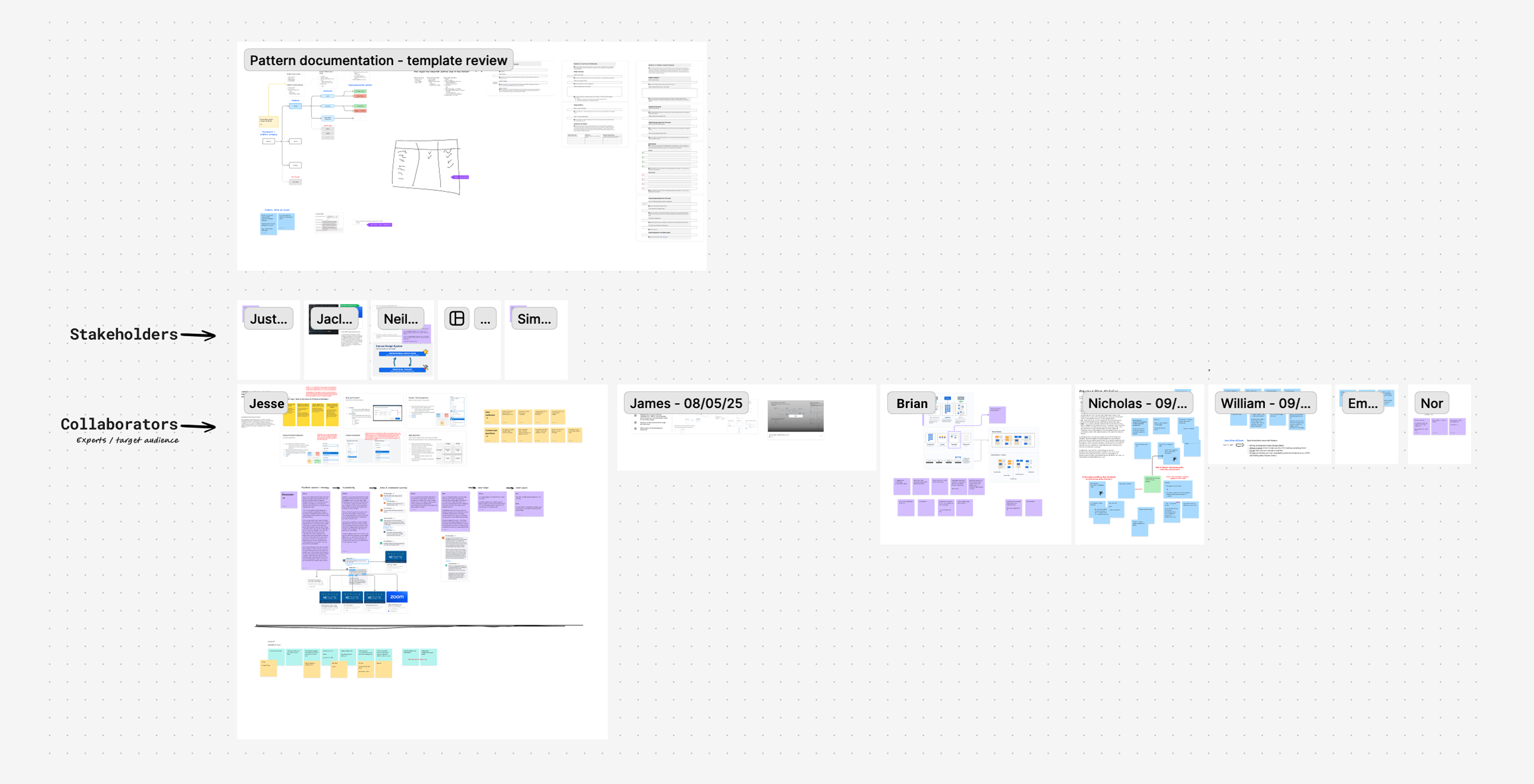
After the discovery work, I solved the immediate product need through Suggestive Prompt. That work completed the local solution, but it also surfaced a bigger question about how a more traditional search experience should scale across the platform.
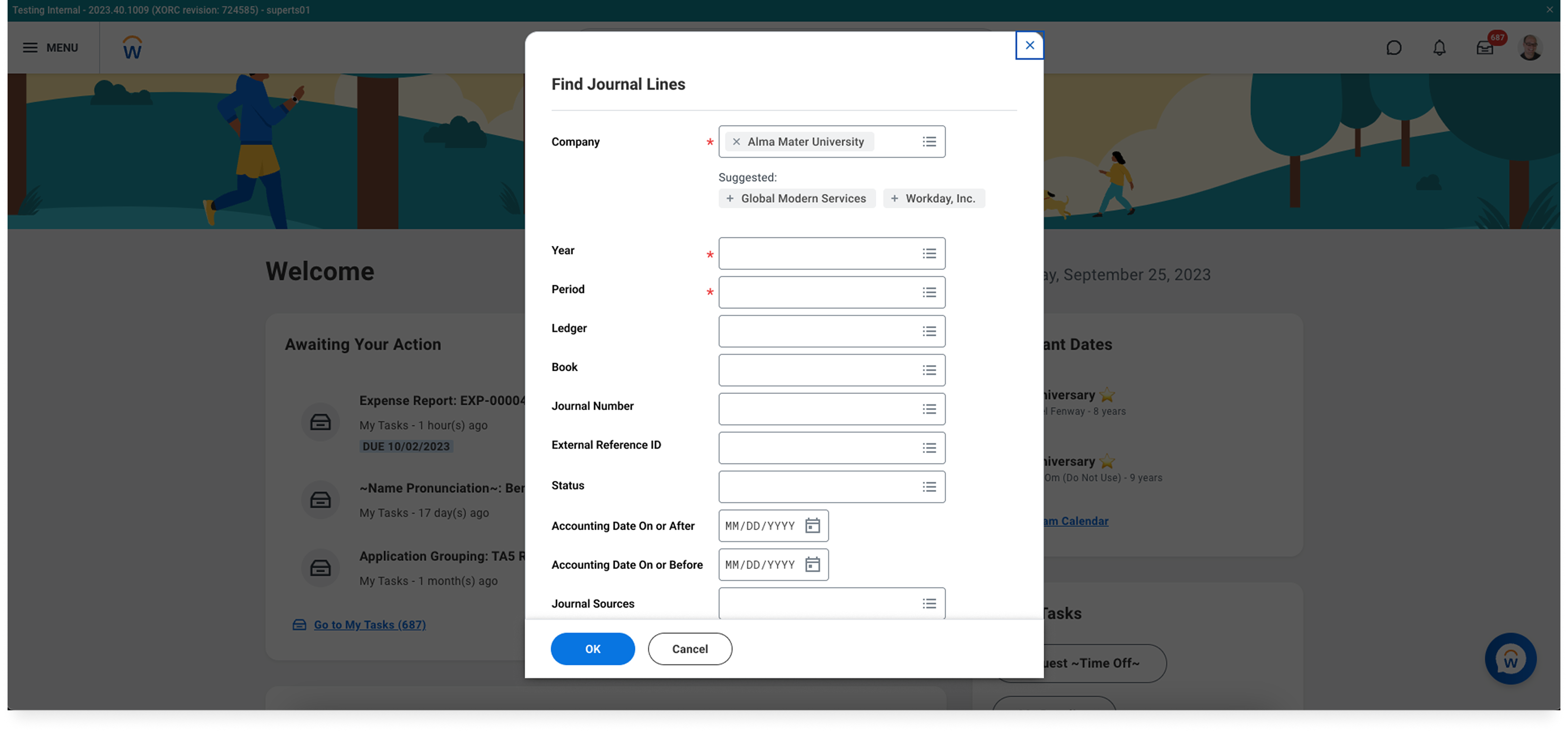
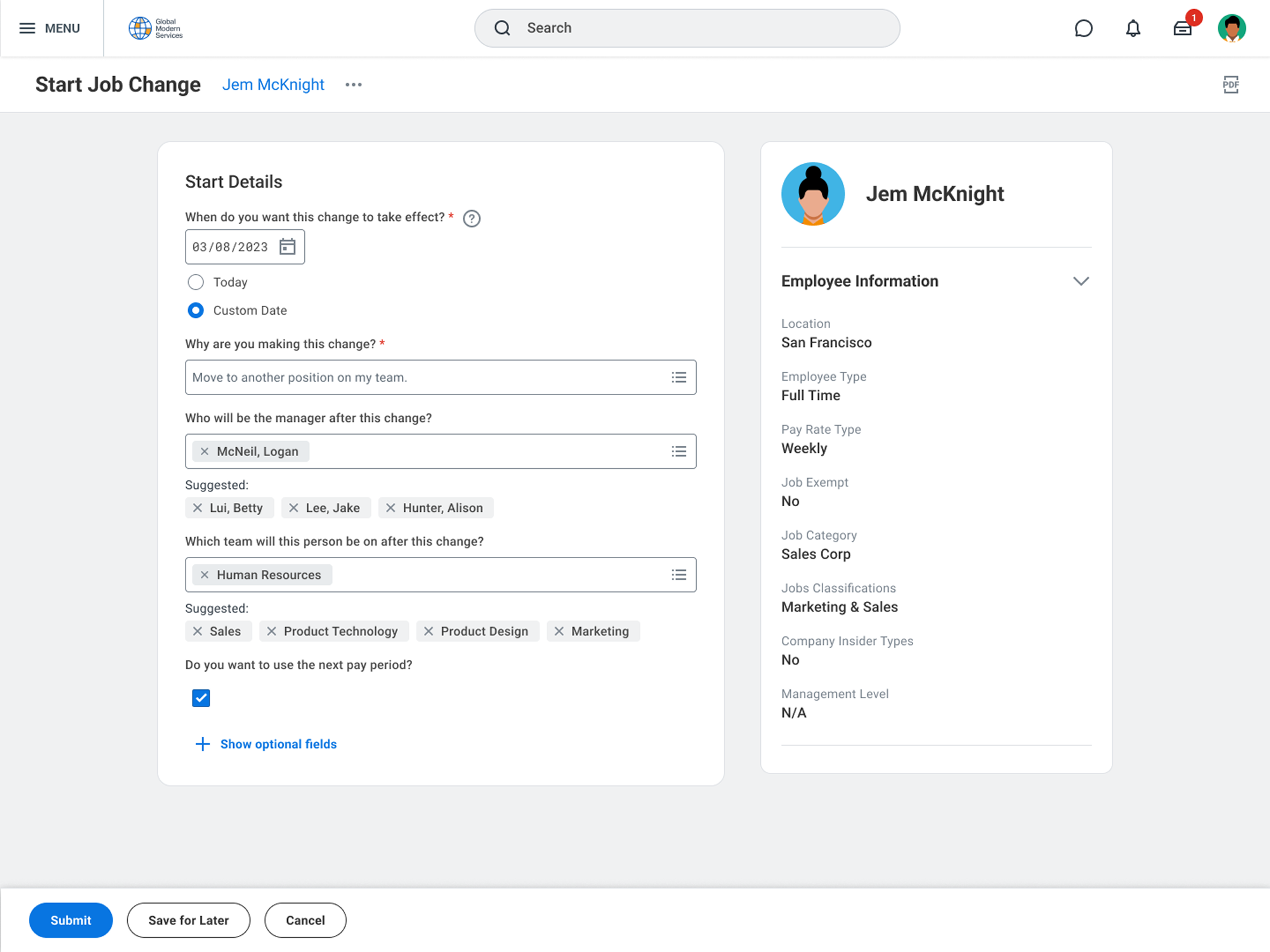
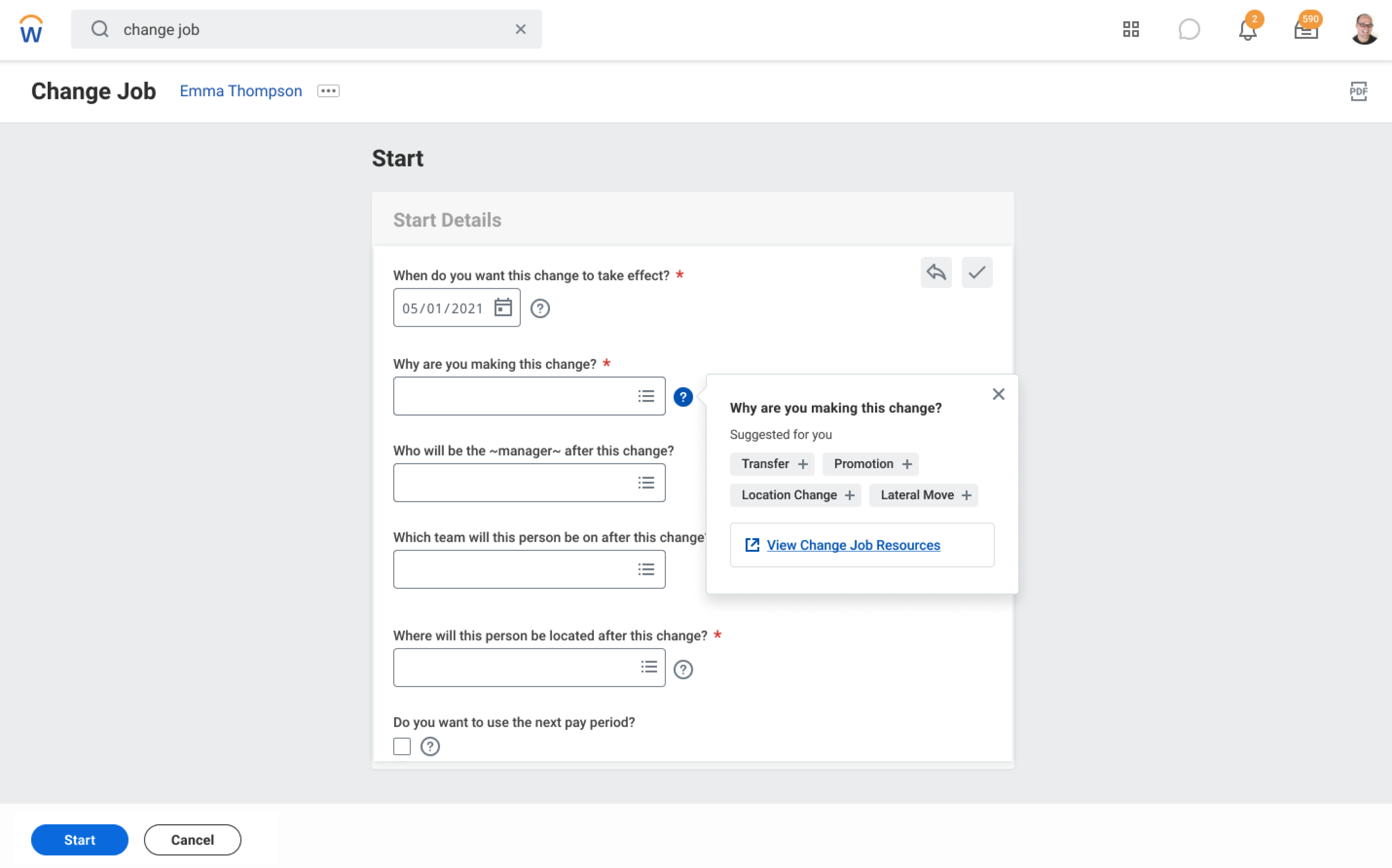
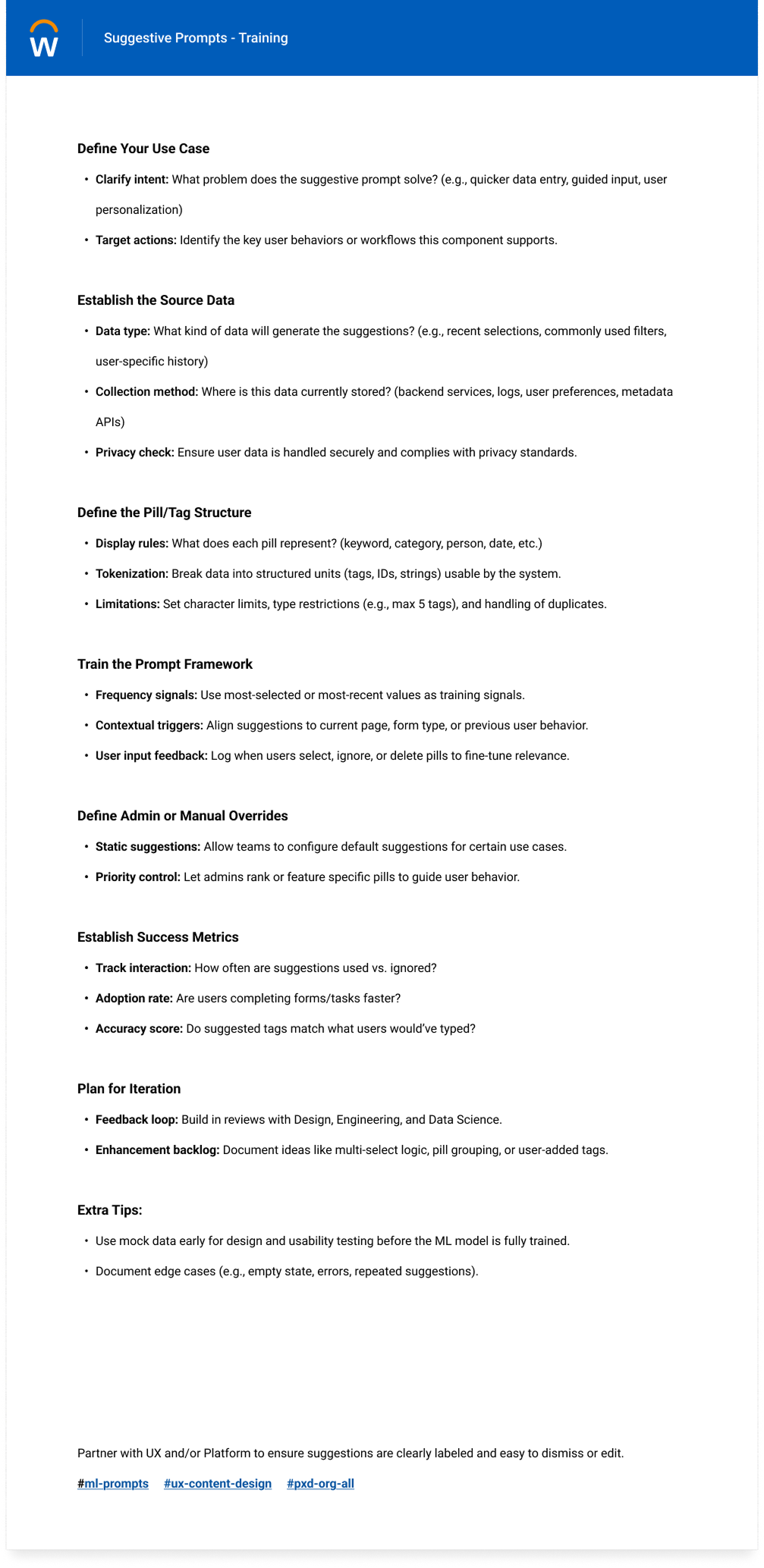
With Suggestive Prompt completed, the work shifted into a broader search and selection framework. This step clarified when teams should use type-ahead, auto-complete, tokenized selection, or more structured browse patterns.
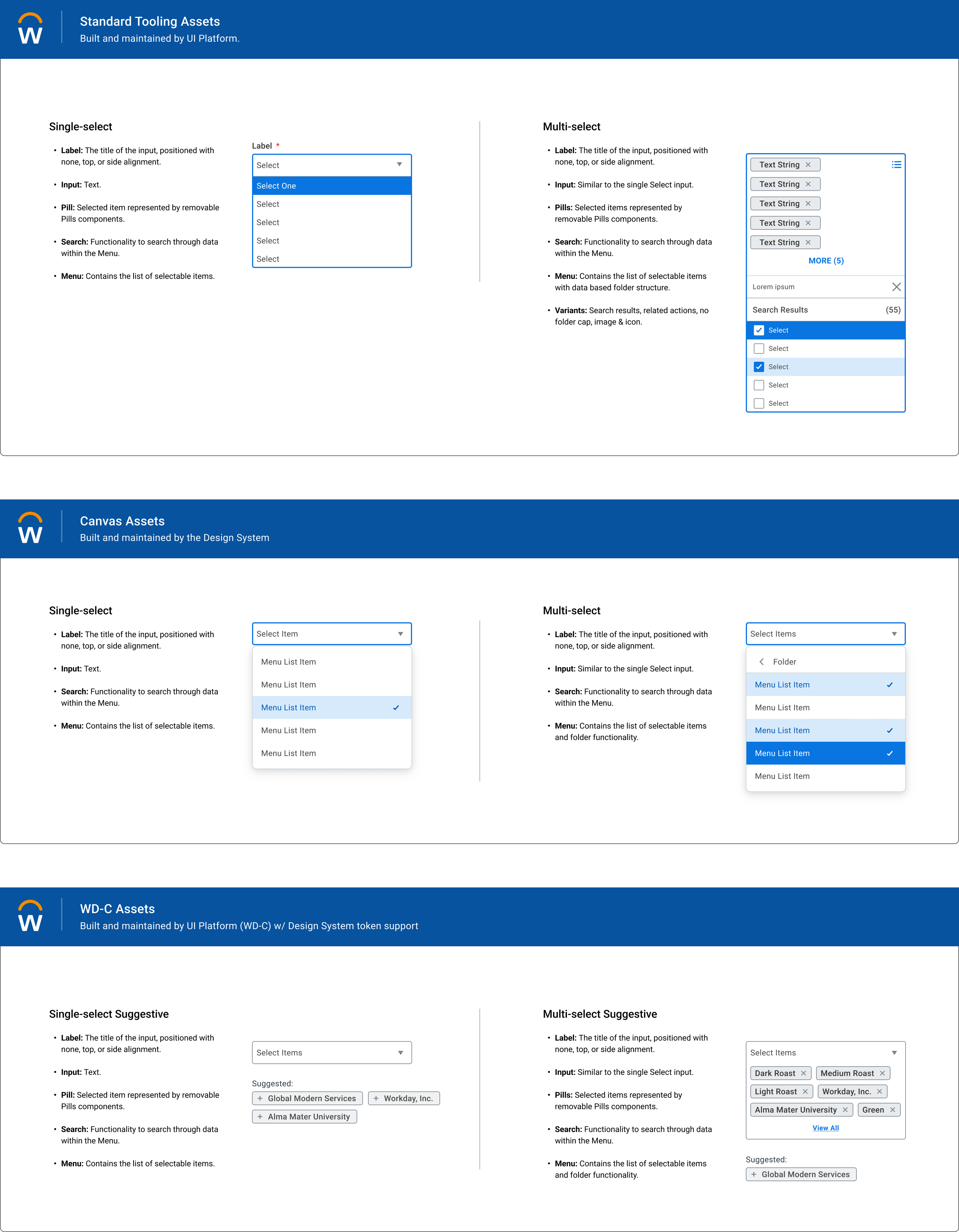
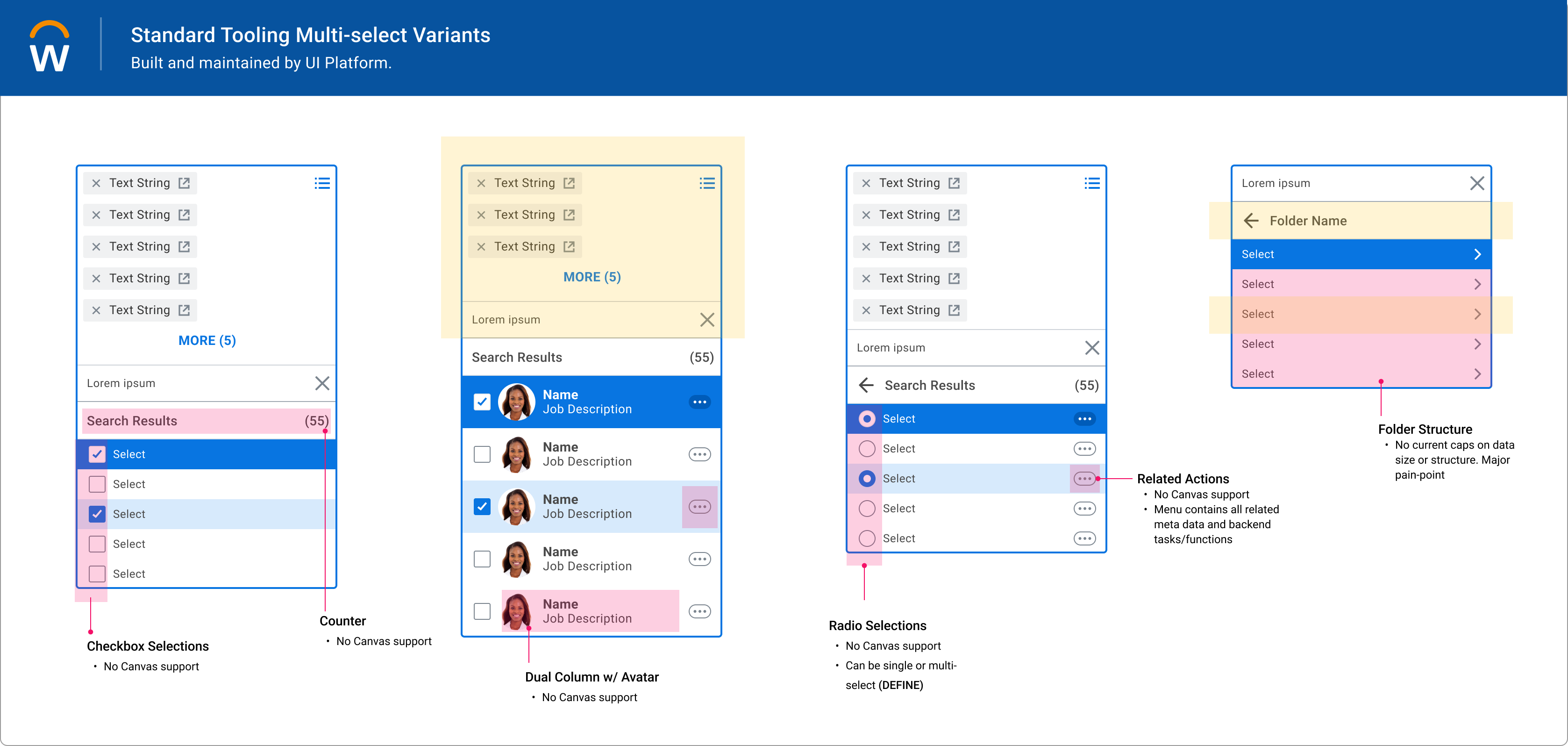
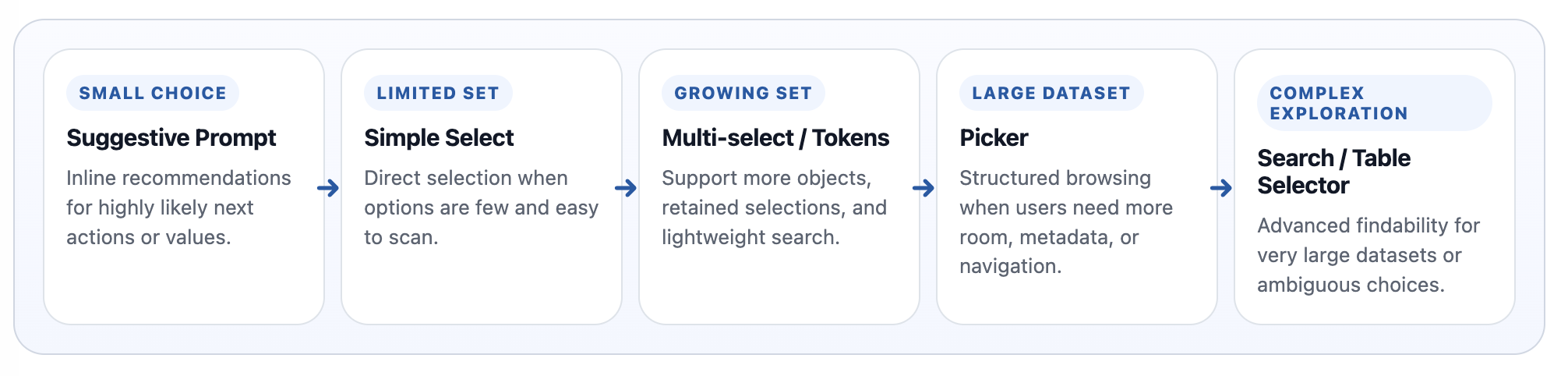
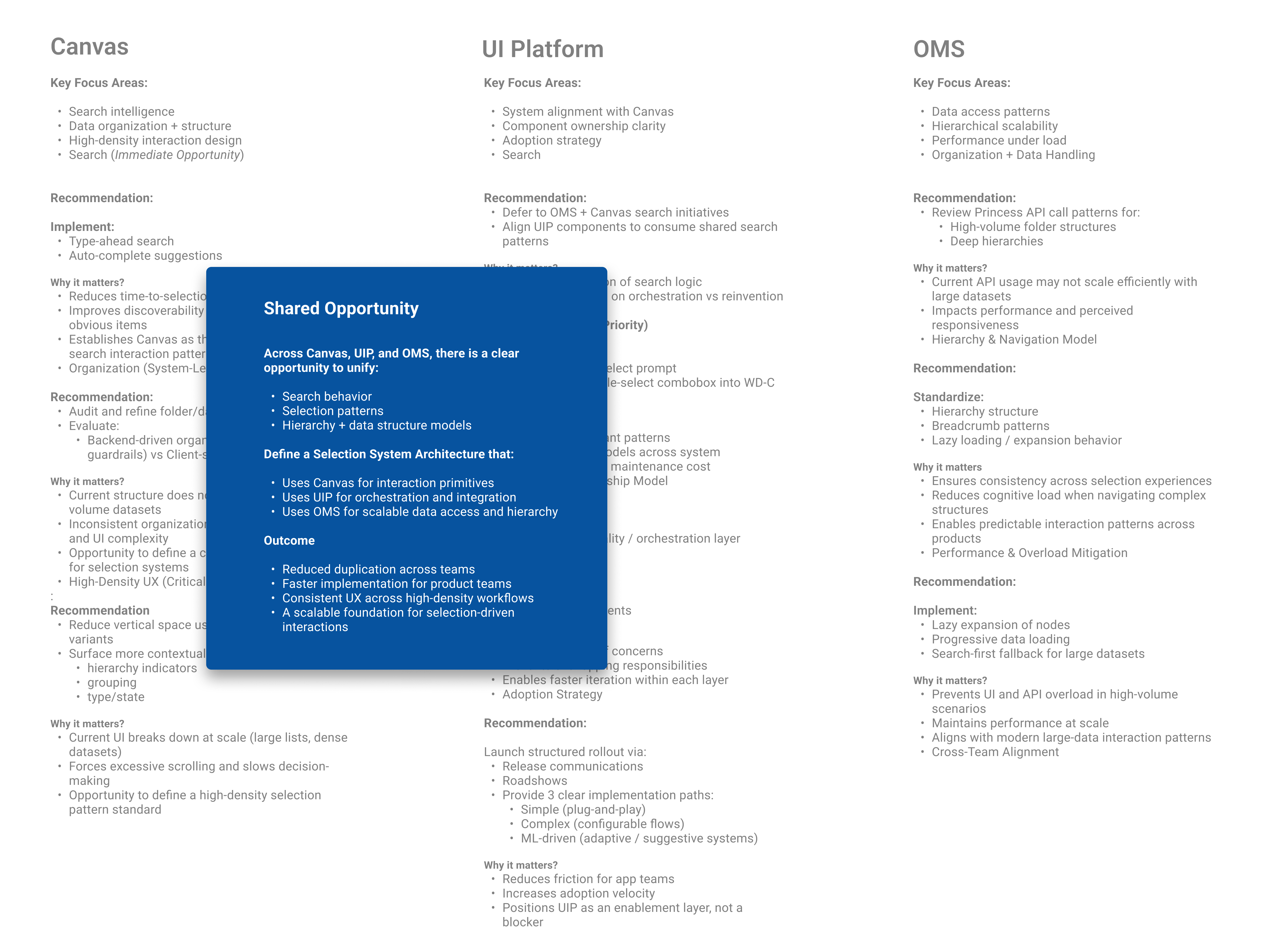
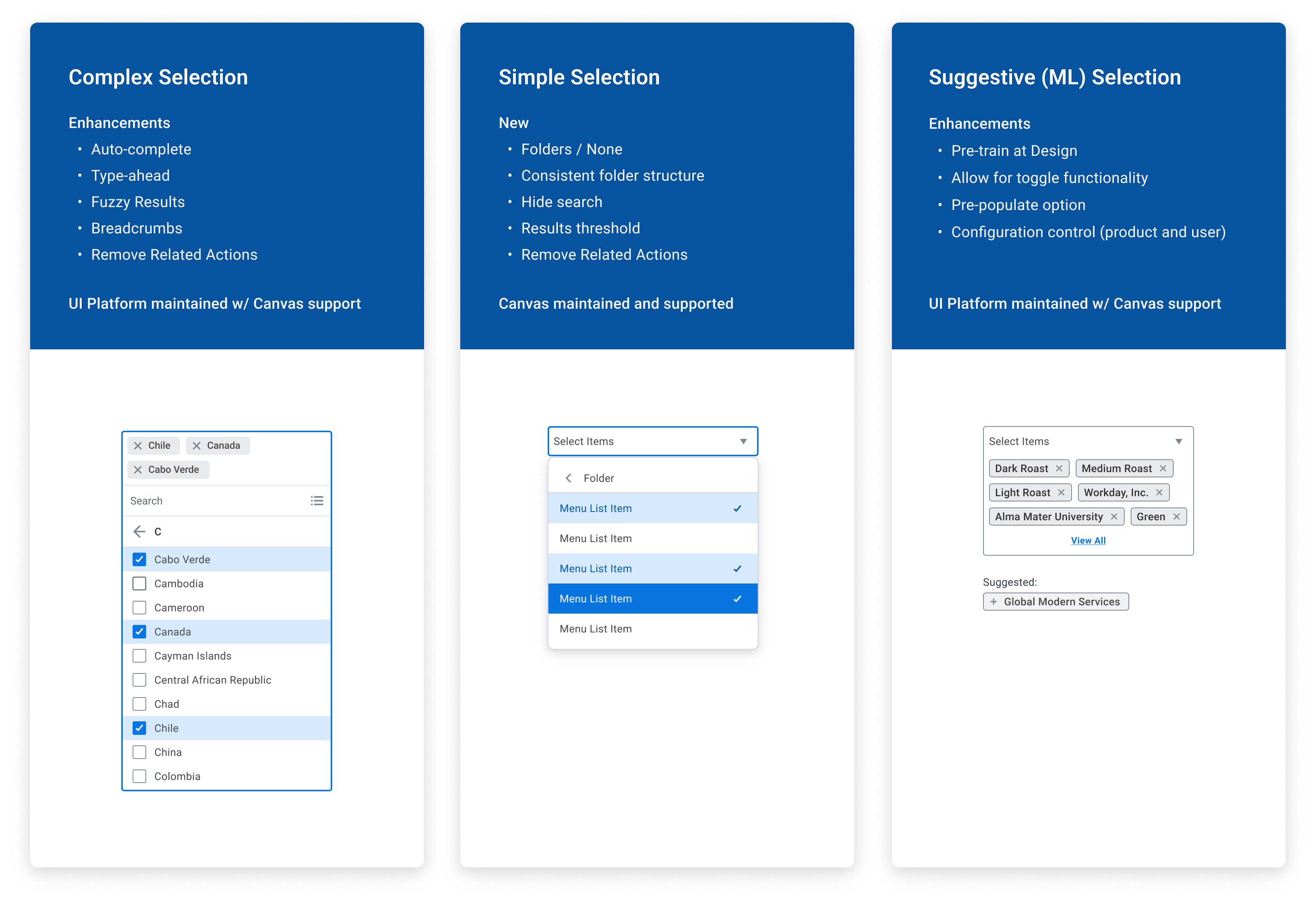
The work reduced the need for custom search solutions, clarified how search and selection should scale, and created a more repeatable model teams could carry into future flows.
The real value was defining when a lightweight suggestion is enough, when dense data needs more structure, and how those decisions stay consistent across product contexts.
Not by adding more components, but by defining the right constraints. The work I do best is identifying patterns that should exist, defining how they scale, and driving adoption across teams.
Worked inside a structural permissions framework where architecture clarity and product usability were tightly linked.
Connected platform structure to onboarding and implementation guidance so customers had clearer entry points into setup and configuration.
What continues to pull me toward architecture and systems design is the chance to make product teams more effective by giving them better primitives, clearer choices, and a stronger path to reuse. That’s the throughline of my work: defining systems that scale across teams, reduce one-off work, and turn platform decisions into product impact.